Fast billing
Scan or search, then print or send the bill.

30+ business types
UpTrendPos is industry-specific POS software for Pakistani shops. Pick your business type when you sign up. Your shop opens with the right units, fields and reports for your trade, so you can start billing on the same day, even without internet.
Demo made for your type of shop · Urdu or English
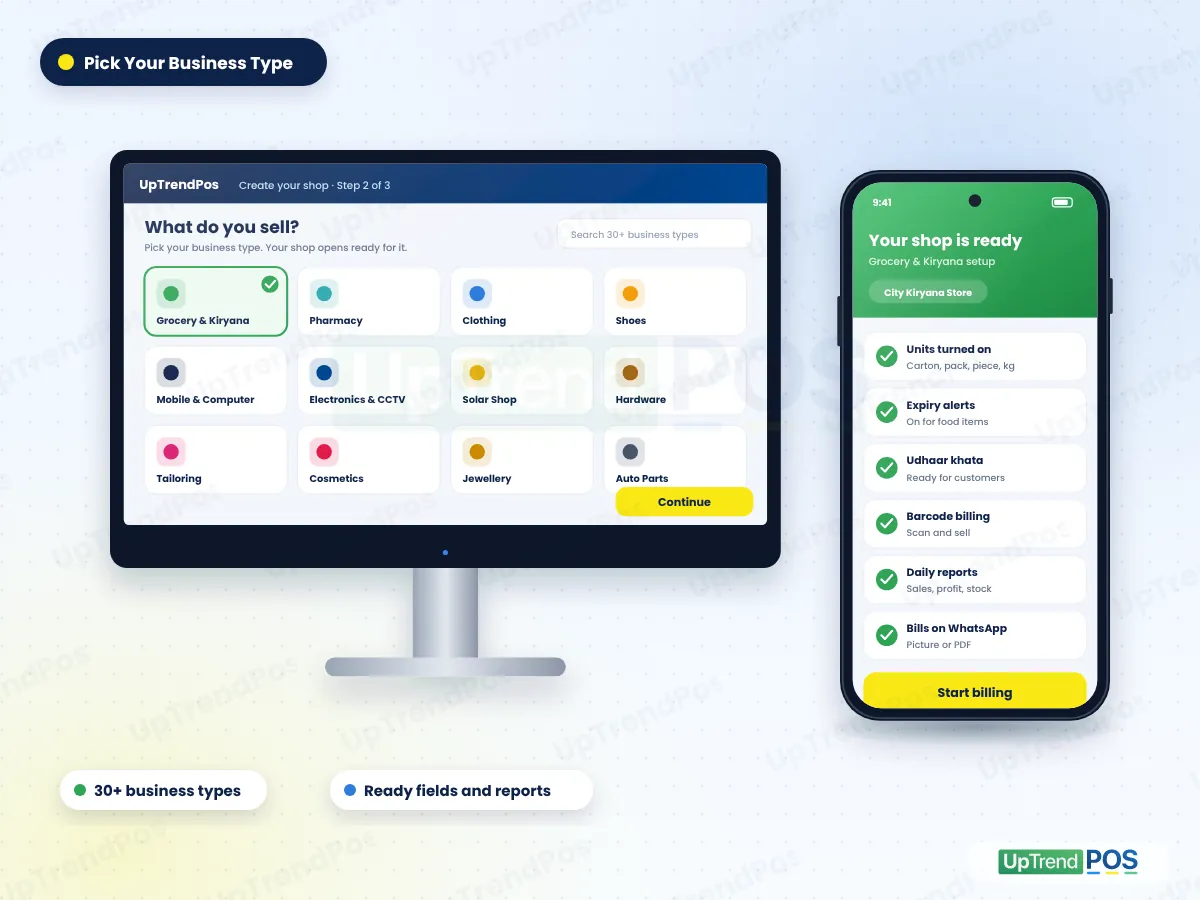
A grocery store and a mobile shop do not work the same way. So our industry-specific POS software does not give every shop the same empty screen.
Choose from 30+ shop types when you create your shop at live.uptrendpos.com.
The right units, product fields and alerts turn on for your trade. Kg for a kiryana store, size and colour for a clothing shop.
Add your items, connect your printer and make your first bill. Our team helps you on WhatsApp.
Open your business type to see how our industry-specific POS software works for it. Each page shows the features, reports and setup for that trade.
Your business is not on the list? Tell us what you sell. In most cases a close business type works, and we set it up with you.
Ask on WhatsAppThe trade setup changes. The core of our industry-specific POS software stays the same and stays connected, so you enter each thing only once.
Scan or search, then print or send the bill.
Low stock, out of stock and expiry alerts.
Every credit sale goes to the customer ledger.
Purchase orders, stock received and supplier ledger.
Sales and expenses post to your accounts on their own.
Billing keeps running when the internet goes.
One account on Android, Windows and the web.
FBR number and QR code on bills (Enterprise and Custom).
Some features depend on your plan. Compare UpTrendPos plans
A basic billing app only prints a bill. Industry-specific POS software also understands how your trade buys, sells and keeps stock.
| What you need | Basic billing app | UpTrendPos |
|---|---|---|
| Setup | Same empty screen for every shop | Ready setup for your business type |
| Units | Only pieces | Carton, pack, piece, kg and more |
| Trade details | Name and price only | Expiry, size, colour, warranty, gold rate |
| Udhaar | Separate notebook or app | Built-in customer khata |
| Stock | Not connected to the bill | Updates with every sale and purchase |
| Accounts | Not included | Profit and loss, trial balance, day book |
| No internet | Often stops | Billing keeps running offline |
UpTrendPos is built by our own team in Sahiwal, Punjab. Every business type in our industry-specific POS software is set up from how shops here really work: udhaar, pack and piece, load-shedding and FBR rules. When a shop owner asks for something, the same team that builds the software listens.
It is POS software that is set up for one kind of business. A pharmacy gets batch and expiry, a clothing shop gets size and colour, and a kiryana store gets kg and pack billing. You get the fields your trade needs and do not fill the ones it does not.
UpTrendPos supports 30+ business types in Pakistan. These include grocery, pharmacy, clothing, shoes, tailoring, cosmetics, electronics, solar, mobile, hardware, paint, auto parts, jewellery and more. Pick your type when you sign up and your shop opens ready for it.
Ask our team before you change it. Your sales, stock and udhaar stay in your account, but some product fields depend on the business type. Message us on WhatsApp and we will guide you to the right setup, step by step, so your data stays clean.
Pick the type that makes most of your sales. For example, a general store that also sells some medicines can pick Grocery and Kiryana. You can turn extra product fields on or off in settings, and our team helps you, so one account covers your whole shop.
Yes. Billing works without internet on the Windows and Android apps for every business type. Your sales are saved on the device and sync to your account on their own when the internet comes back, with no double entries.
The price depends on your plan, not on your business type. Every plan works for all 30+ types, and plans differ by branches, users and some advanced features. See the details on our POS software pricing page or start a 14-day free trial.
Tell us your business type. We will show you its industry-specific POS software setup on WhatsApp, or you can start the free trial yourself.